

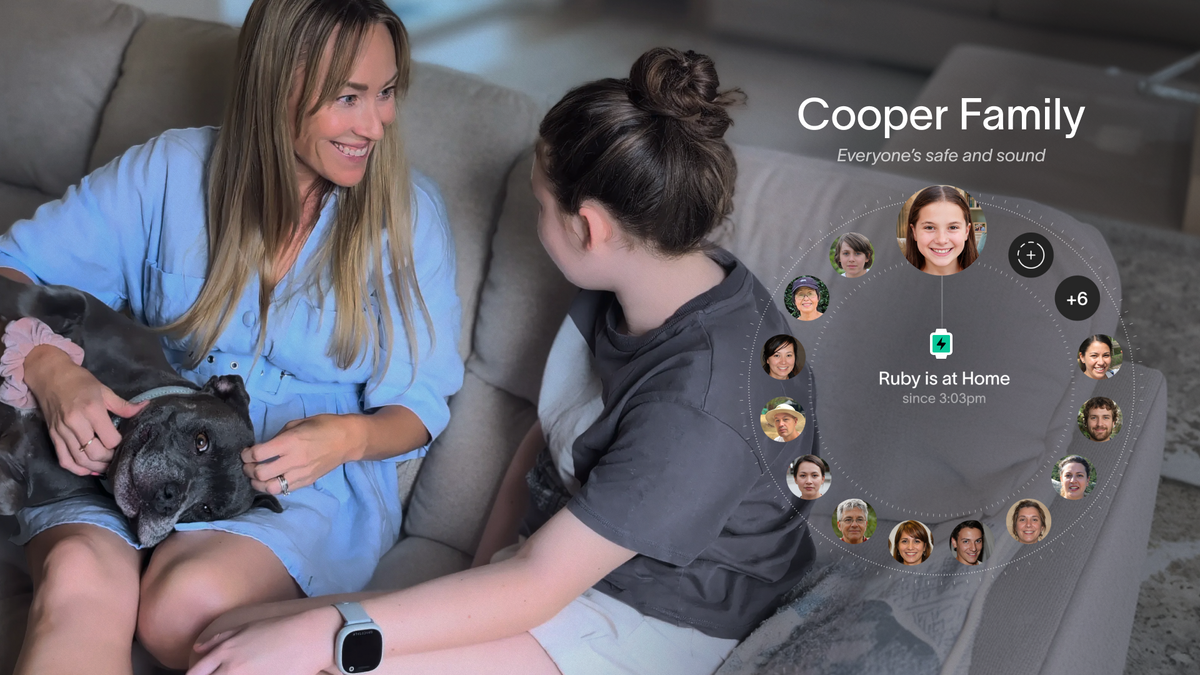
The Spacetalk App is a family chat app designed for kids to only talk to people you already trust. No open contact lists. No friend requests from strangers. No public profiles. Just the people you've chosen, in the spaces you've set up.
You know that pause before you hand your kid their first device. You want them to feel connected to family and mates. You also want to know that "connected" doesn't mean "reachable by anyone with a phone number." That tension sits at the heart of every first-device decision, and it's exactly what the Spacetalk App is built to resolve.
Here's how it works, and how to set it up so your kid can chat, send photos, share their day, and stay in touch without any of the worry that usually comes with a first device.
A Space is a private trusted circle you create inside the Spacetalk App. Think of it as a family group where only invited members can see, message, call, or video call each other.

Every Space sits behind your approval as the parent or carer, and nothing happens inside it without your say-so. Here's what makes a Space different from a group on a regular messaging platform:
This closed structure is what makes the Spacetalk App a genuine kid-safe video calling app rather than a general-purpose chat tool with safety features bolted on. Nothing gets through that you haven't approved first.
Most families start with a single Space that covers the immediate household and the two or three people who'd pick your kid up in a pinch.
From there, you can grow it as your kid's world widens, adding a Space for sports coaches, a Space for weekend cousins, or a Space for the parents of your kid's closest mates.
Each Space stays separate, so a soccer coach isn't sitting in the same group as Nan.
Once a Space is set up, communication happens in a few clear ways. Each one has the same trusted-contacts guardrail behind it.
Kids can send and receive text, voice notes*, photos, videos, and funny sounds through the Chat feature on their Spacetalk Watch.
Chat runs over WiFi or the watch's own mobile data, so it works wherever the watch has a signal. Because it uses your closed Space, every message goes to and comes from someone you've already approved.
*On Adventurer 2 models.

For contacts saved to the watch directly, kids can make standard voice calls and send SMS messages. These sit alongside Chat and use the watch's own mobile plan. Again, only Trusted Contacts you've added appear on the watch, so there's no dialling out to unknown numbers.
This is where the family chat app really earns its keep. Adventurer 2 lets kids see the face of the person they're talking to, not just hear their voice.
Video calls only connect between members of the same Space, cap at two minutes for safety, and always run over the watch's own 4G connection. That combination makes it a proper kid-safe video calling app, because there's no way for a random caller to appear on screen.

Younger kids who aren't quick typers can send preset replies like "on my way" or "at Nan's now" with a single tap. You can customise these in the Spacetalk App to match your family's routines, so a reply is never more than a tap away.

Here's a quick side-by-side of how the four communication methods stack up:
| Method | Network used | Who it reaches | Best for |
|---|---|---|---|
| Chat | WiFi or mobile data | Members of the same Space | Everyday back-and-forth, photos, voice notes |
| SMS and voice calls | Watch's mobile plan | Trusted Contacts saved to the watch | Grandparents on older phones, quick check-ins |
| 4G video calling | Watch's 4G connection | Members of the same Space, Adventurer 2 only | Face-to-face moments, capped at two minutes |
| Preset messages | Chat or SMS | Anyone in the Space or Trusted Contacts | Fast one-tap replies from younger kids |
The consistent thread through all of it: every conversation happens inside a circle you've built. There are no public rooms, no discoverable profiles, no way for outsiders to slide in.
It's also worth knowing what the Spacetalk Watch deliberately leaves out. There's no social media, no internet browser, and no app store.
That means no doom-scrolling before bed, no accidental in-app purchases, and no messaging platforms that quietly invite strangers into the conversation.
The watch does the things a kid actually needs, and stops at the edge of everything that tends to cause trouble.
Getting started takes about ten minutes, and the flow is the same whether you're setting up an Adventurer 2 or a Loop smart watch.
A few small habits keep the setup working smoothly over time. Review the Space members each school term. Talk to your kid about who they'd like to add before you invite anyone new.
Use the app to glance at Chat history if something feels off, the same way you'd check a text thread on an older kid's phone.
The whole point of the Spacetalk App is that it fades into the background of family life. You set the boundaries once. Your kid gets the freedom to chat, share photos, send voice notes, and stay in touch with the people who matter. And you get the quiet reassurance that nothing gets through those boundaries without you knowing about it.
That's the promise of a proper family chat app built for kids. Freedom for them. Peace of mind for you.
Explore Spacetalk
Smartwatch · Kids
Spacetalk Adventurer 2
Chat, 4G video calling, GPS and SOS — all within parent-approved Spaces.
Shop nowSmartwatch · Kids
Spacetalk Loop
Voice calls, SMS and Chat with Trusted Contacts — a simpler first watch.
Shop nowApp · Family
Spacetalk App
Spaces, Trusted Contacts, Chat, Places and School Mode — managed from your phone.
Learn moreChat only works between people you've added to the same Space. Your kid can send text, voice notes, photos, and short video clips, but every message stays inside your approved circle. There's no way for your kid to search for or add anyone new from the watch itself.
No. If someone isn't in one of your Spaces or saved as a Trusted Contact on the watch, they cannot call, message, video call, or SMS your kid. Unknown numbers are blocked from getting through, and your kid can't add contacts on their own.
Yes. Video calls on the Adventurer 2 only connect between members of the same Space, run over the watch's own 4G connection, and cut off automatically after two minutes. That combination makes the Spacetalk App one of the few kid-safe video calling app options actually built for this age group.
Love keeping up with Spacetalk?
Add us as your preferred source on Google and never miss a new post, product update or parenting tip.
Share:
How the Spacetalk App Gives Parents Control Before Kids Have a Phone
SOS Alerts Explained: What Happens When Your Kid Presses the Button