

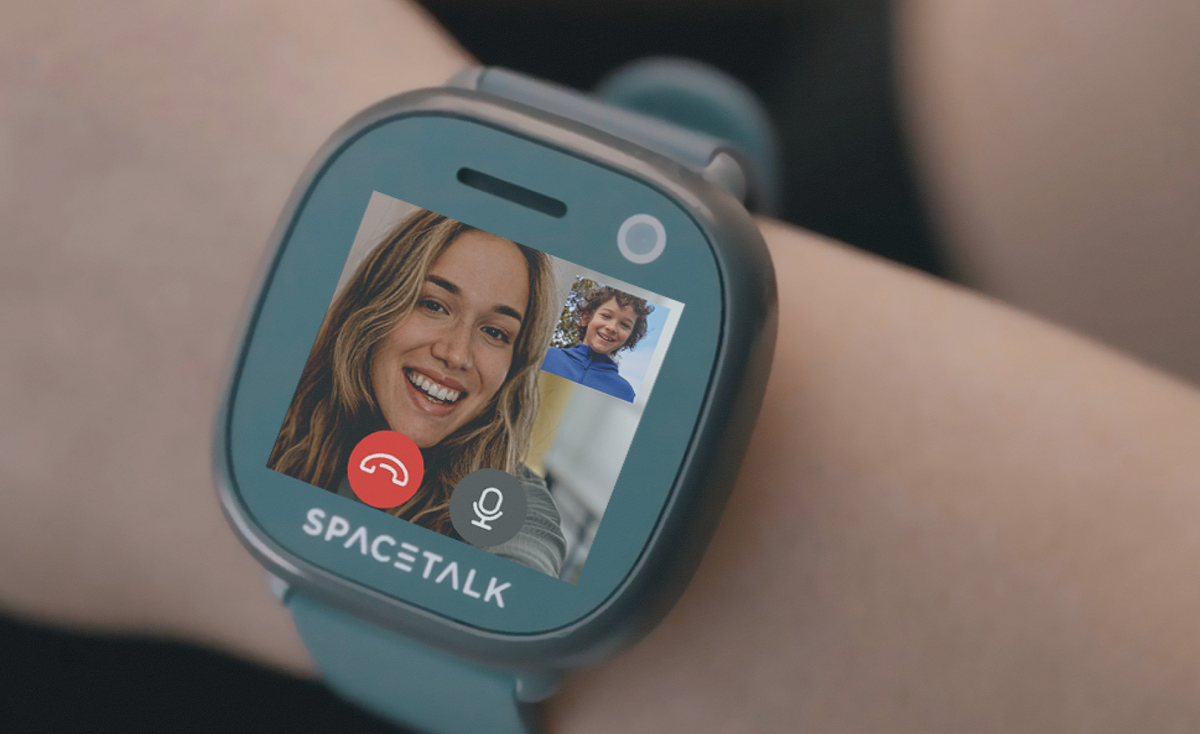
Every Spacetalk Watch currently sold, the Adventurer 2 and the Loop, is a smartwatch with camera hardware built right into the face.
The Adventurer 2 smartwatch carries a 5MP front-facing camera that also handles video calling, while the Loop smartwatch carries a 2MP camera for stills and short clips. Neither watch is a phone with a camera bolted on as an afterthought.
The camera exists to only give your kid a way to share a moment with home without handing them an open internet connection.
That's the short version. Here's what the camera is actually for and how sharing stays locked inside the Spacetalk Family Safety App. Then we'll get into what changes once you step up to the Adventurer 2's video calling.
The camera on a Spacetalk Watch is built for quick, low-stakes moments and not for browsing or posting. A kid taps the camera icon, takes a photo or a short video, and sends it straight to a parent through Chat.
It's closer to a walkie-talkie with a lens than it is to a phone camera, and that difference matters more than the megapixel count ever will. In practice, that looks like:

None of these need a full conversation. They need a picture, sent fast, to someone who's allowed to see it. That's the entire design brief behind the camera on a smartwatch with camera aimed at kids rather than adults, and it's a genuinely different job to the one a phone camera does.
Everything the camera captures travels through one closed loop. The watch sends it, and the Spacetalk App receives it, then a parent decides what happens next. This works because of how the whole system is built, not because of a setting a parent has to remember to switch on:
Choosing a smart watch with a camera for a kid means choosing how those photos travel, and this is the part that actually matters. The camera is the easy bit.
What happens to the photo afterwards is where a genuinely closed system earns its keep, and it's also the bit most other kids' watches gloss over.
The Loop's 2MP camera handles photos well, but it stops there. Step up to the Adventurer 2, and the 5MP front-facing camera does one more job: video calling.

A few specifics are worth knowing before you assume this works like a standard video-calling app:
That combination is what makes the Adventurer 2 the smart watch with a camera built for actually seeing a kid's face, not just their location on a map. It's a small feature with a lot of guardrails around it, and that's deliberate rather than an oversight.
Managing this well takes a few minutes in the app, not constant supervision. From the Spacetalk App, a parent can:
None of this requires reading over a kid's shoulder. The camera does its job, and the app shows what's been shared. From there, a parent decides the rest.
If you're comparing the Adventurer 2 and the Loop and trying to work out which smart watch with a camera suits your family, the honest answer is that both send photos the same way.
The difference is simply whether you also want your kid to see a face on the other end of the call, not just hear a voice.
That's really the question worth asking before you buy. Not whether it has a camera, but who controls where the photos go afterwards. On a Spacetalk Watch, the answer is straightforward. You do.
Explore Spacetalk
Kids' Smartwatch
Spacetalk Adventurer 2
5MP camera with video calling, 4G, GPS, SOS and School Mode.
Shop nowKids' Smartwatch
Spacetalk Loop
2MP camera, 4G calling, GPS, SOS and School Mode in a slim design.
Shop nowFamily Safety App
Spacetalk App
Manage contacts, location, Places, Routes, School Mode and Chat in one app.
Shop nowYes. Both current models are smartwatches with a camera as standard. The Adventurer 2 has a 5MP camera that also supports video calling, and the Loop has a 2MP camera for photos. Neither model treats the camera as an optional extra.
No. There's no social media or internet browser on the watch, and no app store either, so a photo has nowhere to go except through Chat to a Space or a Buddy that a parent has already approved. Everything stays inside the closed system the app manages.
The Loop suits younger kids taking their first steps towards independence, while the Adventurer 2's video calling suits tweens who want to actually see a grandparent or a parent, not just message them. Either way, the camera itself carries no more risk than the rest of the watch, since sharing is locked to contacts a parent has personally approved.
Love keeping up with Spacetalk?
Add us as your preferred source on Google and never miss a new post, product update or parenting tip.
Share:
eSIM or Physical SIM: What Spacetalk Mobile Plans Use
Everything Included in a Spacetalk Mobile Plan