

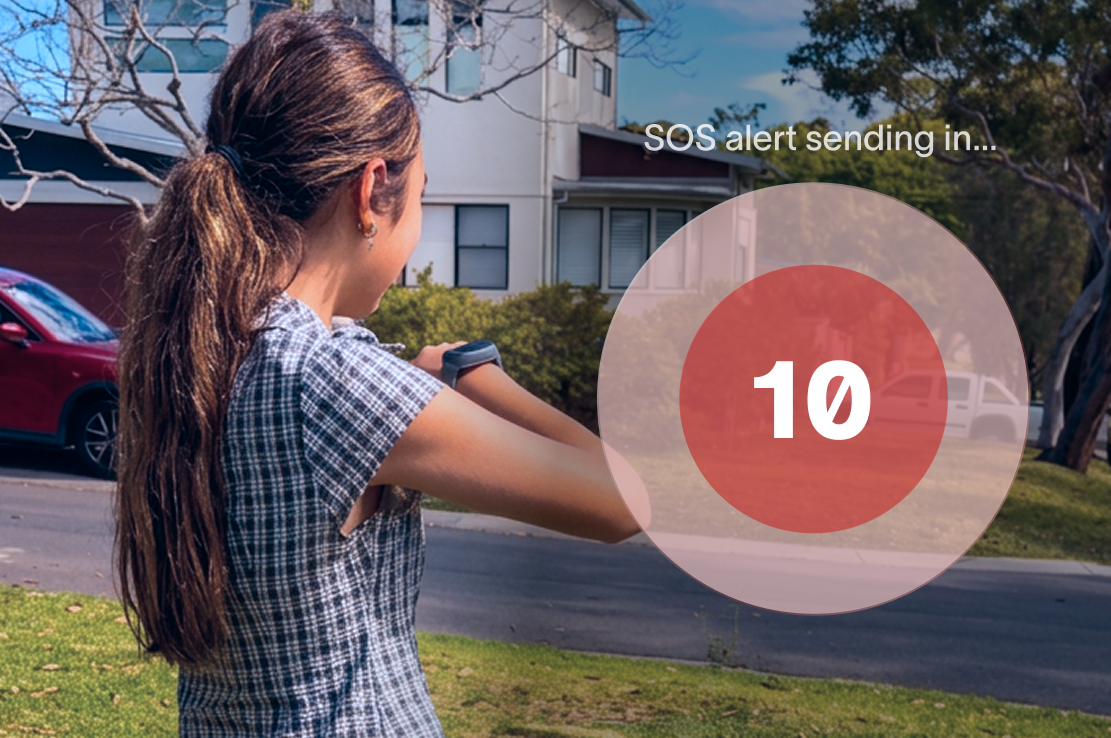
An SOS alert in your kid's Spacetalk Adventurer 2 is a built-in emergency feature that lets your kid send an instant distress signal, straight to you and the other people you've trusted with their safety. Just one swipe in a moment that matters.
Your kid has pressed SOS on their Spacetalk watch. What happens next matters more than almost anything else the watch does. This is the safety net underneath all that freedom you've given them, and knowing exactly how it works means you can trust it when it counts.
Here's exactly what happens, from the second they trigger it to what shows up on your screen.
Activating SOS is simple, because emergencies aren't the time for a complicated process. Your kid swipes up from the bottom of the watch face, then slides the emergency icon from left to right to confirm.
That two-step swipe stops accidental triggers from someone brushing the screen, while still being fast enough for a genuine emergency. Once confirmed, the watch immediately does three things:
There's no waiting period and no confirmation screen asking "Are you sure?" The moment your kid completes that swipe, the process starts.
This is exactly why setting SOS contacts up correctly before your kid ever needs them matters so much, which we'll get into later.

You can set up to three SOS contacts through the Spacetalk App, and every one of them gets notified at once. This isn't a single point of failure where an alert goes to one phone and stops there if nobody answers.
The Spacetalk smart watch calls through your list and keeps trying, and the app account holder is alerted regardless of who else is on the SOS list. A lot of families choose:
The speed here is the whole point. The call starts ringing, and the location lands on your phone within moments, so you can decide straight away whether to call your kid back, ring another contact, or head towards them.
It's worth noting that SOS works independently of School Mode. Even when School Mode has silenced calls, messages, and notifications during class hours, the SOS button and location awareness stay fully live.
Your kid's ability to reach you in an emergency is never switched off, even when the watch is otherwise locked down for the classroom.
Along with the alert itself, the watch sends the wearer's real-time location to your SOS contacts and to the Spacetalk App. This is the piece that turns "my kid needs help" into "my kid needs help, and I know exactly where to find them."

The location that comes through is based on the watch's GPS, and it updates as part of the SOS process rather than relying on the standard 15-minute interval used for everyday location awareness.
So if your child is on the move, running from something, walking somewhere unfamiliar, or simply lost, you're not working off outdated information.
This location data only goes to people within your trusted circle, the Spaces and SOS contacts you've set up yourself. Nothing gets shared publicly, and there's no open access to your child's whereabouts beyond the people you've chosen.
That closed, parent-managed approach is the same principle behind every part of the Spacetalk platform, whether it's who can call your kid, who can message them, or who gets pinged the moment they hit SOS.

Follow these steps to make sure your child knows how SOS works and that your chosen contacts are ready to respond.
Open the Spacetalk App and add up to three SOS contacts under your child's watch settings. Choose people who are genuinely likely to answer and can reach your child quickly if needed.
Show your child where the SOS feature is on their Spacetalk Adventurer 2 and explain how to activate it. Practising beforehand means they won't have to figure it out during a stressful situation.
Talk openly about when your child should use SOS. Let them know they can use it if they feel unsafe, scared, lost or simply feel that something isn't right. Reassure them that they won't get in trouble for asking for help.
Do a test run together so your child knows what happens after they activate SOS. Let your chosen SOS contacts know it's a test to avoid unnecessary concern.
Use the test to make sure your contact details are correct and that you understand how the SOS alert and location notification appear in the Spacetalk App.
Alongside SOS, use the Spacetalk App to set up Places, Routes and location awareness. These features help you stay connected with your child's everyday movements, not just during emergencies.
A little preparation can make a big difference. When your child knows how to use SOS, and you know exactly what happens when they activate it, they can enjoy more independence while you have peace of mind that help is only a swipe away.
Explore Spacetalk
Smartwatch · Kids
Spacetalk Adventurer 2
SOS alerts, GPS location, Trusted Contacts and 4G calling in one watch.
Shop nowApp · Family
Spacetalk App
SOS alerts, location, Places, Routes and Trusted Contacts — managed from your phone.
Learn morePlans · Family
Spacetalk Watch Plans
30-day or 180-day plans on the Telstra network. No lock-in, cancel anytime.
Shop nowAn SOS alert is an emergency feature that instantly notifies your chosen contacts and shares your kid's location when they swipe up and activate it on their watch. It's designed for the moments when your child needs help fast and doesn't have time to explain the situation over a phone call or message.
You can add a maximum of three SOS contacts in the Spacetalk App, and all three are notified when the button is pressed. The watch calls through the list, and the account holder is alerted too, so there's more than one person who can respond.
It's unlikely, since activating SOS requires a deliberate two-step action: swiping up from the watch face, then sliding the emergency icon across the screen. This design specifically reduces the chance of a false alarm while keeping the process quick enough for a real emergency.
Love keeping up with Spacetalk?
Add us as your preferred source on Google and never miss a new post, product update or parenting tip.
Share:
How Can Kids Chat Safely via the Spacetalk Smartwatch with Parents and Friends?
Video Calling on the Adventurer 2: Seeing Your Child's Face, Not Just Their Location