

Setting up your teen's first proper phone plan should feel like ticking one thing off a long list, not opening up a whole new decision you didn't know you had to make.
Then you get to checkout, and Spacetalk asks whether you want an eSIM or a physical SIM, and suddenly you're googling what an eSIM even is instead of getting on with your afternoon.
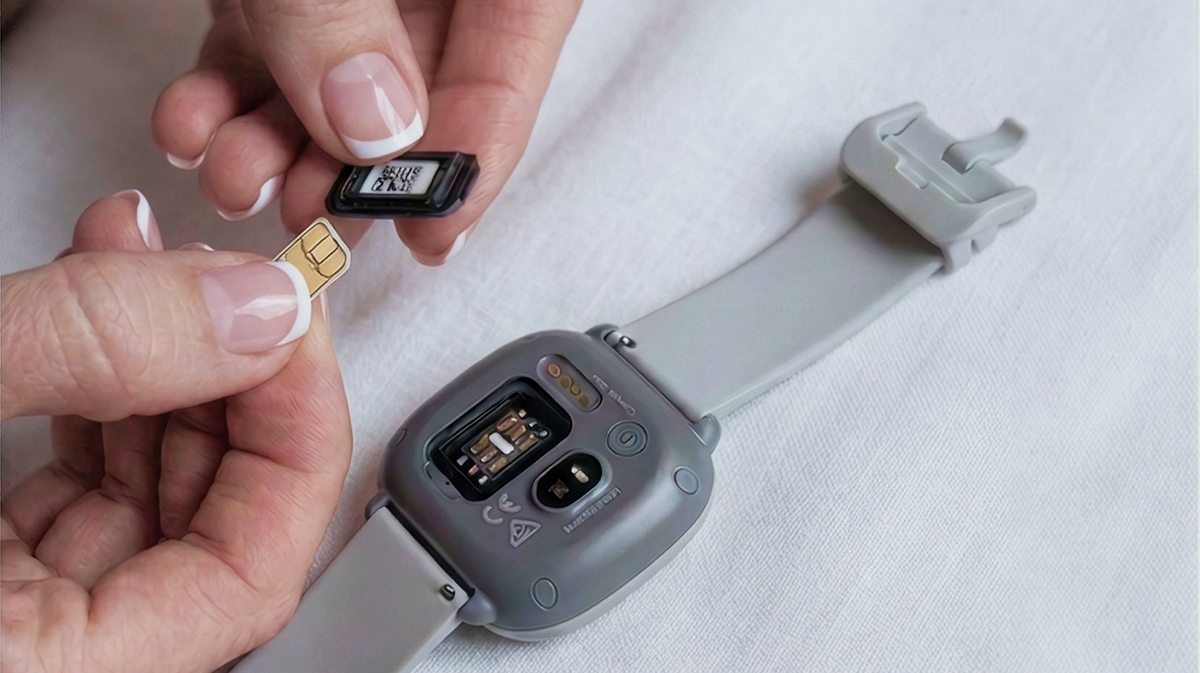
Every Spacetalk mobile SIM plan uses eSIM by default, and a physical SIM is there if you need one instead. Neither option changes the price or the data allowance, and neither one touches any of the family safety features built into the plan.
If you already rely on location awareness, Check-ins, Places, and Trusted Contacts through the Spacetalk App for a Spacetalk Watch, none of that changes either. The eSIM or physical SIM decision sits purely on the phone side of things.
eSIM is the default because it gets a new plan connected in minutes rather than days. There's no card to wait for in the post and no trip to a shop to collect one.
As long as your teen's phone supports eSIM, which most phones sold in Australia over the last few years do, you can activate the plan the same day you buy it. The practical upside for busy families:
A physical SIM is still available for your mobile SIM plan if your teen's phone doesn't support eSIM, or if you'd simply rather have a card in hand.
You can add one at checkout for a small one-off fee, and Spacetalk posts it out the next business day so it arrives with plenty of time to spare. It's worth choosing a physical SIM when:
Whichever option you pick, the SIM slots into the same plan, with the same data allowance and the same family safety features sitting behind it. The choice comes down to hardware, not to what the plan can actually do for your teen day-to-day.
Yes, you can keep your teen's existing number, and it works the same way whether you choose eSIM or a physical SIM.
Spacetalk supports number portability on every mobile SIM plan, so there's no need to hand out a new number to the netball team group chat or update it with every friend's mum. Bringing an existing number across usually looks like this:
If your teen doesn't have an existing number yet, you can simply choose a new one at signup instead. Either way, the number side of things gets sorted at the same time as everything else, not as a separate step you have to chase up later.
Once you've chosen a mobile SIM plan and completed checkout, Spacetalk sends an activation code by email, ready to install straight onto your teen's phone.
There's no need to visit a store or wait on hold, and you can do the whole thing from the couch while your teen picks out a phone case. From there, it's a short process:
Once it's active, everything else works exactly the way it would with a physical SIM. Calls, texts, data, and the family safety features tied to the Spacetalk App all switch on together, so there's nothing extra to configure afterwards.
Whether you land on eSIM or a physical SIM, the bigger decision- choosing the right plan for your teen's first phone- is the one worth spending your time on.
Head to the Spacetalk Mobile Plans page to compare current tiers and get it sorted in one sitting.
Explore Spacetalk
Plans · Family
Spacetalk Mobile Plans
Every Spacetalk mobile SIM plan uses eSIM by default, and a physical SIM is there if you need one instead.
Shop nowApp · Family
Spacetalk App
Calls, texts, data, and the family safety features tied to the Spacetalk App all switch on together.
Shop nowSmartwatch · Kids
Spacetalk Watch
Location awareness, Check-ins, Places, and Trusted Contacts through the Spacetalk App for a Spacetalk Watch.
Shop nowEvery Spacetalk Mobile SIM Plan supports both. eSIM comes as the default option because it activates almost instantly, while a physical SIM is available as an add-on for phones that don't support eSIM or for parents who'd rather have a card.
Either option connects to the exact same plan, so neither the data allowance nor the family safety features change depending on which one you pick.
Yes. You can select a physical SIM at checkout for a small one-off fee, and Spacetalk posts it out the next business day so it arrives well before you need it. It's a straightforward swap from the eSIM default and doesn't change anything else about the plan.
In most cases, yes. Spacetalk can port your teen's existing number across as part of setting up the plan, with no break in coverage while the switch happens. If they don't have a number yet, you can pick a new one at signup instead.
Love keeping up with Spacetalk?
Add us as your preferred source on Google and never miss a new post, product update or parenting tip.
Share:
What Students Need from a Mobile Plan in High School
The Camera on Every Spacetalk Watch, Explained