

"Which Spacetalk Watch do I actually need?" is the question we hear most in the lead-up to the sales, especially now there are three tiers to choose from instead of two.
A couple of years ago the choice was simple: there was one watch. Whether you're buying a first watch or upgrading an existing one, here's how the range breaks down, and what actually matters for your kid's age and stage rather than what looks impressive on a spec sheet.
Some families are buying their first Spacetalk Watch this Black Friday. Others already have one that's a year or two old and are wondering whether it's worth upgrading now that a new mid-range model has joined the range.
Both situations come down to the same question: what does your kid actually use day to day, and which tier covers that without paying for features that will sit unused. If the current watch still charges fine and your kid hasn't outgrown its safety features, there's no rush.

Spacetalk Loop is the everyday entry point, built for first freedoms rather than every feature Spacetalk makes. It covers calling, messaging, location awareness, Places, Routes and SOS on a simpler feature set, which suits a younger kid or a first watch on a tighter budget. Think walking to a friend's house down the street, not long solo trips across town. If you're still weighing up whether your kid is ready for a watch at all, our age-by-age guide is worth reading before you get as far as comparing tiers.
A new mid-range Spacetalk Watch is joining the range for this year's Black Friday sales, sitting between Loop and Adventurer 2 on both features and price. It's the pick for a family that wants more than the everyday basics without going all the way to the flagship, and it comes with 4G HD video calling and a camera as well, alongside the core calling, messaging and location awareness features.
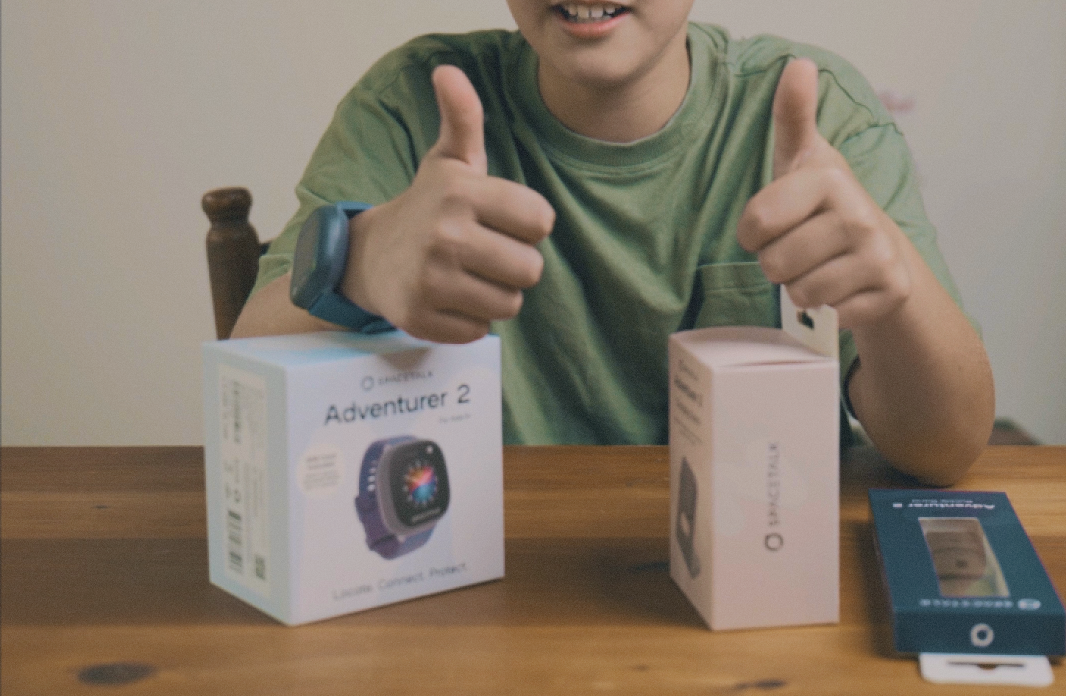
Spacetalk Adventurer 2 is the flagship and currently the #1 kids smartwatch in Australia (GFK Report). It shares 4G HD video calling to Trusted Contacts and a 5MP camera with the new mid-range model, then adds heart rate and step tracking on top of the full Places, Routes, School Mode and SOS feature set.

Every watch in the range covers voice calls, SMS and in-app Chat with Trusted Contacts, so a kid can reach the people you've approved without needing a phone. This is the baseline across Loop, the new model and Adventurer 2 alike, and it's usually the feature that gets used most in an ordinary week: a quick call from the school gate, a message to say the bus is running late.
If video calling and a camera matter to your family, both Adventurer 2 and the new mid-range Spacetalk Watch include them — Loop is the only model in the range without video calling or a camera. It's a genuine point of difference if you want to see your kid's face on a call home from school, not just their location. Worth knowing: video calls happen inside your Space with Trusted Contacts only, running for up to two minutes and managed through the app on your side, not an open video chat a kid could start with anyone.
Adventurer 2 runs for up to 36 hours of active use and around three days on standby from its 750mAh battery, which in practice means one overnight charge on the cradle covers a full school day comfortably. Battery life is one of the areas where a higher tier tends to trade some runtime for extra features like the camera and video calling, so it's worth checking current specs for the new mid-range model before you decide.

Places, Routes, School Mode and SOS run across the whole range through the Spacetalk App, so stepping up a tier is about calling, camera and battery, not about whether your kid stays visible to your Space. That part doesn't change.
An upgrade kids smartwatch decision usually comes down to your kid outgrowing Loop's simpler feature set, wanting video calling, or an older watch nearing the end of its useful life. If none of those apply, there's no rush to move tiers just because a new model exists.
Your Space, Trusted Contacts and family settings live in the Spacetalk App, not on the watch itself, so they carry across when you pair a new device. You're not rebuilding your family's setup from scratch.
Watch-specific settings like School Mode times, alarms and the watch face background do need to be set up again on the new device, along with pairing it fresh through the app using its QR code. It's a five-minute job, not a rebuild.
An older Spacetalk Watch in good condition rarely needs to become e-waste. A younger sibling can often use it as their own first watch, or it can be factory reset and passed on, which is worth doing before it leaves your house.
There's no single right answer here, only the tier that matches how your kid actually uses a watch day to day. Compare Loop, the new mid-range model and Adventurer 2 side by side before the Black Friday sales end.
Explore Spacetalk
Smartwatch · Kids
Spacetalk Loop
The everyday entry point, built for first freedoms rather than every feature Spacetalk makes.
Shop nowSmartwatch · Kids
New Spacetalk Watch
Sitting between Loop and Adventurer 2 on both features and price.
Shop nowSmartwatch · Kids
Spacetalk Adventurer 2
The flagship and currently the #1 kids smartwatch in Australia (GFK Report).
Shop nowLoop suits a younger kid or a first watch focused on the everyday basics, the new mid-range model suits a family who wants more without going to the flagship, and Adventurer 2 suits a kid who'll actually use video calling and the camera.
All three cover calling, messaging, location awareness and safety features. Loop is the only model without video calling and a camera — both the new mid-range model and Adventurer 2 include them, with Adventurer 2 adding heart rate and step tracking on top.
Yes. Trusted Contacts and your Space live in the Spacetalk App rather than on the watch, so they're already there when you pair a new device — you won't need to re-add every contact by hand. One thing you do need to do yourself: move the Watch SIM card out of the old watch and into the new one, so the new device stays connected to your Watch Plan.
Your existing Watch Plan moves across with the SIM when you pair a new watch, so there's usually no need to buy a new plan just because the device changed.
Yes, as long as it's factory reset first and paired fresh as its own managed profile in your Space. A separate Watch Plan would then apply to that second device.
Love keeping up with Spacetalk?
Add us as your preferred source on Google and never miss a new post, product update or parenting tip.
Share:
Bought in November, Wrapped for December: How to Keep a Spacetalk Watch Ready for Christmas
Thinking About a Refurbished Spacetalk Watch in the Sales?