

What to Do With the Old Device Once a New One Arrives
- von Craig Boshier
Key Takeaways
- An old kid's device doesn't have to just disappear into a drawer once a new one arrives.
- A factory reset kids smartwatch is the first step before handing it to a younger sibling, clearing the previous owner's settings and paired account.
- Places and Routes should be set up fresh for the younger sibling too, since their school, friends and regular spots are unlikely to match their older sibling's exactly.
- If there's no immediate use for it, a factory-reset watch stores safely as a spare, useful if a current device is ever lost or damaged.
- The old Watch Plan can usually move across to whoever's using the watch next, or be cancelled if the device is being retired altogether.
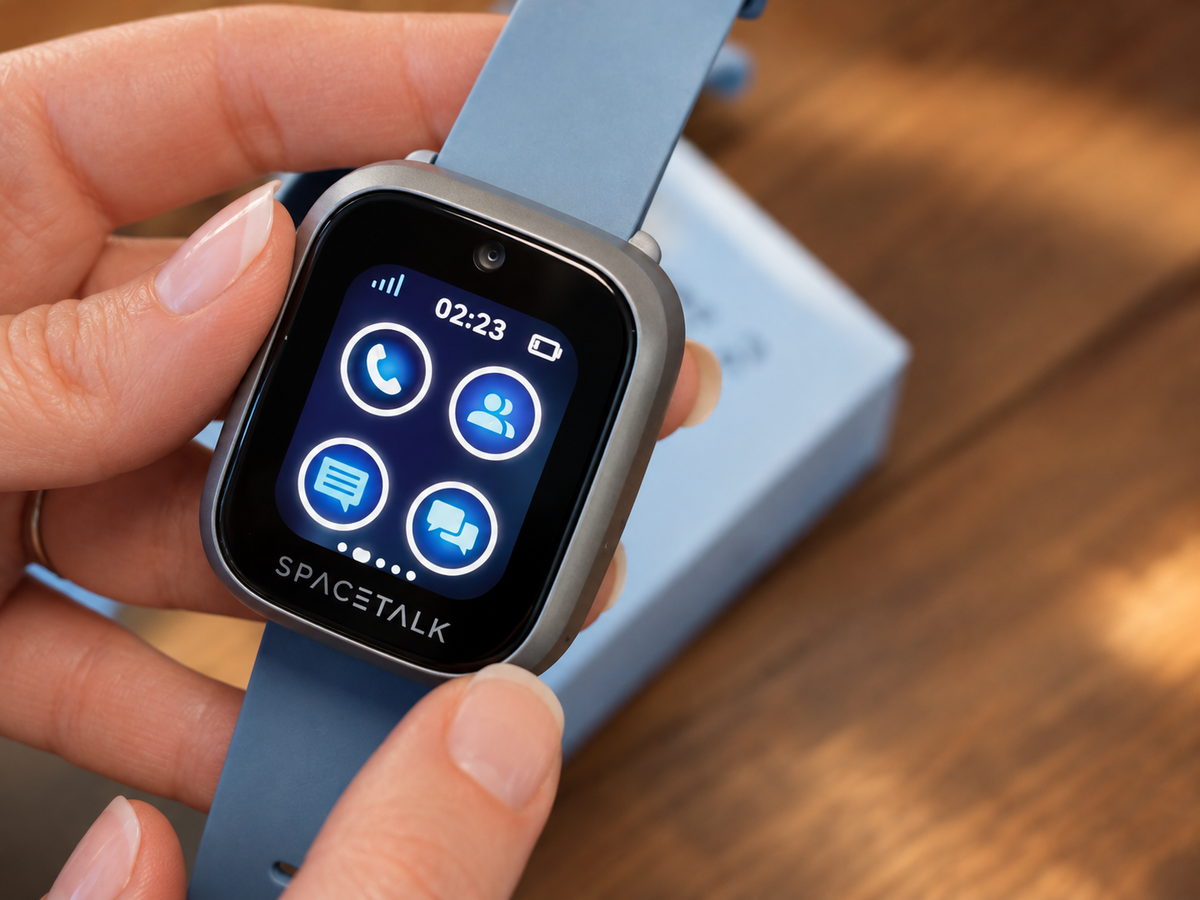
An old kid's device doesn't have to just disappear into a drawer once a new one arrives. A bit of thought turns it into a second gift instead of e-waste, and it usually takes less effort than you'd expect to get it ready for whoever's next in line.
The Drawer Where Old Devices Go to Retire
Most households have one, the drawer where old chargers, old phones and old watches quietly accumulate, tangled cables and all. A retired Spacetalk Watch is worth rescuing from that fate before it becomes just another thing you mean to sort out eventually and never quite get to.
It's an easy one to put off, too. There's no urgency the day the new watch arrives, so the old one gets set aside "for later," and later has a habit of turning into eighteen months. A few minutes now saves it from becoming a permanent fixture at the back of a cupboard.
Worth knowing: none of the options below take long. Handing it down, storing it, or recycling it responsibly are each a fairly quick job once you know which one applies.
Passing It Down to a Younger Sibling
What to Reset Before You Hand It Over
A factory reset kids smartwatch is the first step before handing it to a younger sibling, clearing the previous owner's settings and paired account. It only takes a few minutes, but it's not one to skip, since a watch still tied to an older kid's profile isn't much use to whoever's getting it next.
It's tempting to skip this step when you're in a hurry to hand the watch over, especially if the younger sibling is standing right there waiting. Five minutes now avoids a confusing mess of old settings and someone else's contacts turning up later.
Setting Up New Trusted Contacts
Once reset, the watch is paired as its own managed profile with its own Trusted Contacts list, rather than inheriting the older kid's settings wholesale. One thing that trips people up here is assuming the contact list can just carry over. It can't, and it shouldn't, since the younger sibling's day looks nothing like their older sibling's did.
It's worth treating this step as a proper little onboarding moment rather than a formality. A quick chat about who's on the list and why, the same way it probably went the first time around, helps the younger sibling feel like this is genuinely theirs rather than a leftover.

Starting Fresh With Their Own Places and Routes
Places and Routes should be set up fresh for the younger sibling too, since their school, friends and regular spots are unlikely to match their older sibling's exactly. Different classroom block, different after-school pickup point, maybe an entirely different school altogether if there's a gap of a few years between them.
It only takes a few minutes to walk through, but it's the difference between a watch that fits the younger sibling's actual week and one that's quietly still set up for someone else's routine.
If Nobody Else Needs It
Storing It Safely
If there's no immediate use for it, a factory-reset watch stores safely as a spare, useful if a current device is ever lost or damaged. Keep it somewhere it won't get knocked around, and it's worth giving the battery a top-up every so often rather than leaving it flat indefinitely.
A spare like this earns its keep more often than you'd think. A cracked screen, a lost watch on a school excursion, a band that finally gives out, having a working backup on hand means there's no gap while a replacement gets sorted.
Retiring It Responsibly
An old kids smartwatch that's no longer needed at all should go through proper e-waste recycling, rather than the household bin, given the battery and electronics inside. Most council waste facilities and several electronics retailers take small devices like this for free, so it's rarely more than a short detour.
It's a small thing to sort out properly, but worth doing right. A watch with a working battery is exactly the kind of small electronics that shouldn't end up in landfill when there's a proper recycling option a short drive away.
What Happens to the Old Watch SIM Plan
The old Watch Plan can usually move across to whoever's using the watch next, or be cancelled if the device is being retired altogether. It's worth checking this before the handover happens, so there's no gap where the watch is technically ready but the plan behind it isn't active yet.
It's a small admin step, but an easy one to forget in the shuffle of unwrapping a new device. Sort the plan out at the same time as the reset, rather than as an afterthought a week later once someone notices the watch isn't actually connecting to anything.

Explore Refurbished Spacetalk Watches
If a hand-me-down isn't an option, whether the ages don't line up or the old watch has genuinely had its day, a refurbished Spacetalk Watch is a similarly affordable way to get a second kid started without paying full price for a brand new device.

Explore Spacetalk
Built for exactly this
Frequently Asked Questions
Can I pass a Spacetalk Watch down to a younger sibling?
Yes. Factory reset the watch first, then pair it fresh as its own managed profile with its own Trusted Contacts, Places and Routes, so it fits the younger sibling's actual routine rather than the older one's.
How do I reset a kid's smartwatch before handing it over?
A factory reset is done through the watch's settings or the Spacetalk App, clearing the previous pairing and settings before it's handed to someone else. It's a quick step, but an important one to do before anyone starts setting up the new profile.
What happens to the plan on the old watch?
The existing Watch Plan can typically continue under whoever's using the watch next, or be cancelled if the device isn't being reused. Either way, it's worth sorting out before the handover so there's no gap in coverage.
Love keeping up with Spacetalk?
Add us as your preferred source on Google and never miss a new post, product update or parenting tip.
Teilen:
Buying Ahead in the Boxing Day Sales for the School Year