

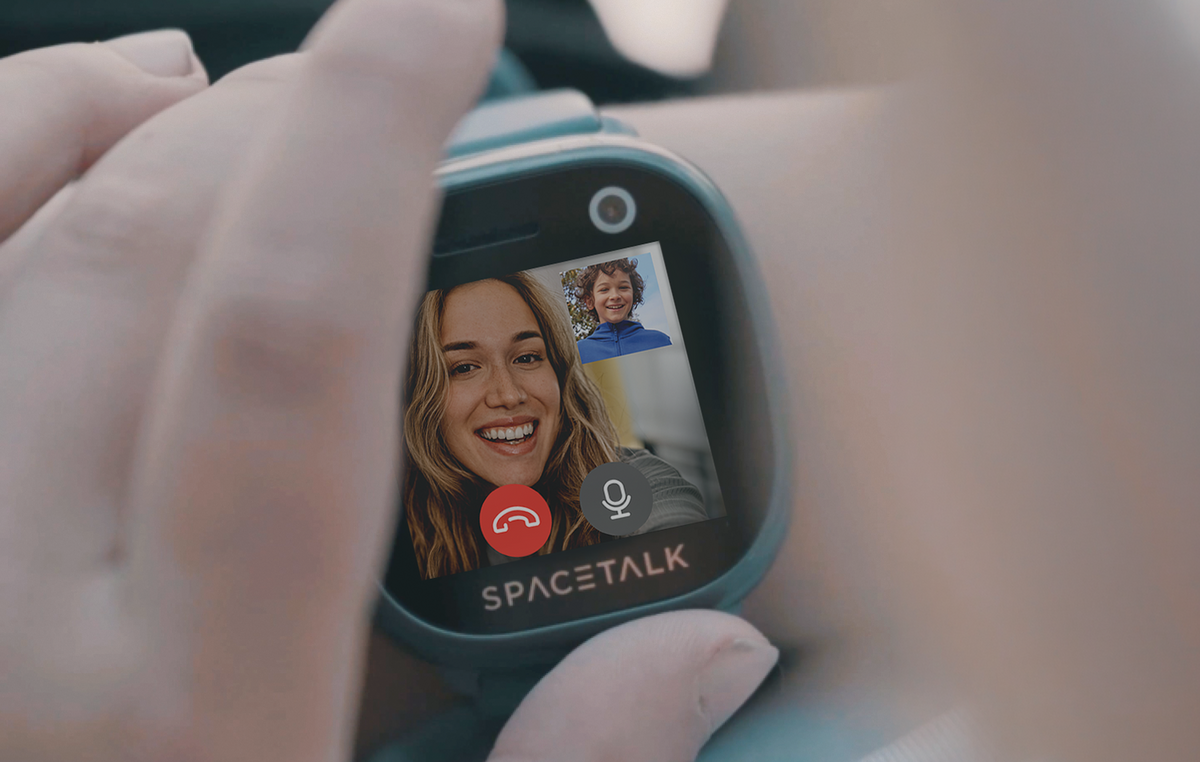

Yes, the Spacetalk Adventurer 2 lets your child make and receive 4G video calls, and it is one of the few kids GPS watch options on the market that offers this.
Most kids' smartwatches stop at voice calls and a location dot, but the Adventurer 2 goes further.
Today, we will take you through why video calling changes the game, how it works with Trusted Contacts, what else the Adventurer 2 brings to the table, and how to get video calling set up from day one.
A voice call tells you your child is safe. A video call tells you how they actually are. You can see if they are tired, excited, upset, or simply mucking about with friends.
That visual context is something a location pin can never give you. Think about the moments this actually matters:
This is why Spacetalk built video calling into the Adventurer 2 rather than treating it as an add-on.
Most kids' smartwatches, and even the average kid's watch with GPS, are designed around monitoring where a child is.
The Adventurer 2 is designed around staying connected to who they are becoming, moment by moment, which is a very different job.
Video calling on the Adventurer 2 only works between people your child already trusts and, more importantly, people you have approved.
There is no open dialling, no random incoming calls, and no way for a stranger to reach your child through the watch. Here is how it actually works in practice:

That two-minute cap is a deliberate design choice. It keeps video calls as quick, meaningful check-ins rather than open-ended screen time, which fits neatly with the way Spacetalk approaches the rest of the device.
There is no social media, no open internet browser, and no app store on the Adventurer 2, so video calling stays a tool for connection rather than a distraction.
It is worth mentioning that video calling is exclusive to the Adventurer 2 and is not available on the entry-level Spacetalk Loop, so if seeing your child's face matters to you, the Adventurer 2 is the model to look at.
Video calling is the headline feature, but the Adventurer 2 is built to be a genuine kids' watch with GPS at its core, not just a video phone strapped to a wrist.
Real-time location sits underneath everything else the watch does. Some of the features that work alongside video calling include:
Beyond the safety features, the watch also includes a step counter, a heart rate monitor, a front-facing camera for photos and short videos, an album, a flashlight, a calculator, a stopwatch, a timer, and a weather app.
None of it relies on an internet browser or social platform, so your child stays entertained and connected without the risks that come with an open smartphone.

For families weighing up a kids GPS watch against handing over a first smartphone, this is really the heart of the decision. The Adventurer 2 gives your child the freedom to explore, call, and check in, while keeping the guardrails firmly in your hands through the Spacetalk App.
Getting video calling up and running takes a few simple steps, and most of the setup happens in the Spacetalk App rather than on the watch itself.
Once that is done, your child can start and receive video calls from anyone in that trusted circle, and you can adjust the list at any time as your family's needs change.
A voice call and a map pin will always tell you where your child is. A video call tells you how they are doing, and sometimes that is the peace of mind you are actually looking for.
If you are comparing options and want a kids' GPS watch that goes beyond tracking to real, face-to-face connection, the Spacetalk Adventurer 2 is built with exactly that gap in mind.
Explore Spacetalk
Smartwatch · Kids
Spacetalk Adventurer 2
4G video calling, GPS, SOS, Places, Routes and School Mode in one watch.
Shop nowApp · Family
Spacetalk App
Manage Trusted Contacts, Spaces, Places, Routes and Chat from your phone.
Learn morePlans · Family
Spacetalk Watch Plans
30-day or 180-day plans with data for video calling. No lock-in, cancel anytime.
Shop nowYes, the Spacetalk Adventurer 2 supports 4G video calling directly from the watch. It is currently the only Spacetalk watch with this feature, so if video calling matters to your family, the Adventurer 2 is the model to choose over the Spacetalk Loop.
Your child can only video call people who belong to the same Space as them in the Spacetalk App, which is what sets a properly closed kids watch with GPS apart from an open smartphone. You control that Space entirely, adding or removing contacts as needed, so there is no risk of your child receiving a call from someone you have not approved.
Video calls run on the watch's own mobile data or WiFi connection, and because each call is capped at two minutes, data use per call stays fairly light. If your family makes frequent calls, choosing a Spacetalk Watch Plan with a higher data allowance, such as the 180-day plan with 10GB, gives you comfortable headroom.
Love keeping up with Spacetalk?
Add us as your preferred source on Google and never miss a new post, product update or parenting tip.
Share:
SOS Alerts Explained: What Happens When Your Kid Presses the Button
How Location Tracking Actually Works on a Spacetalk Watch