

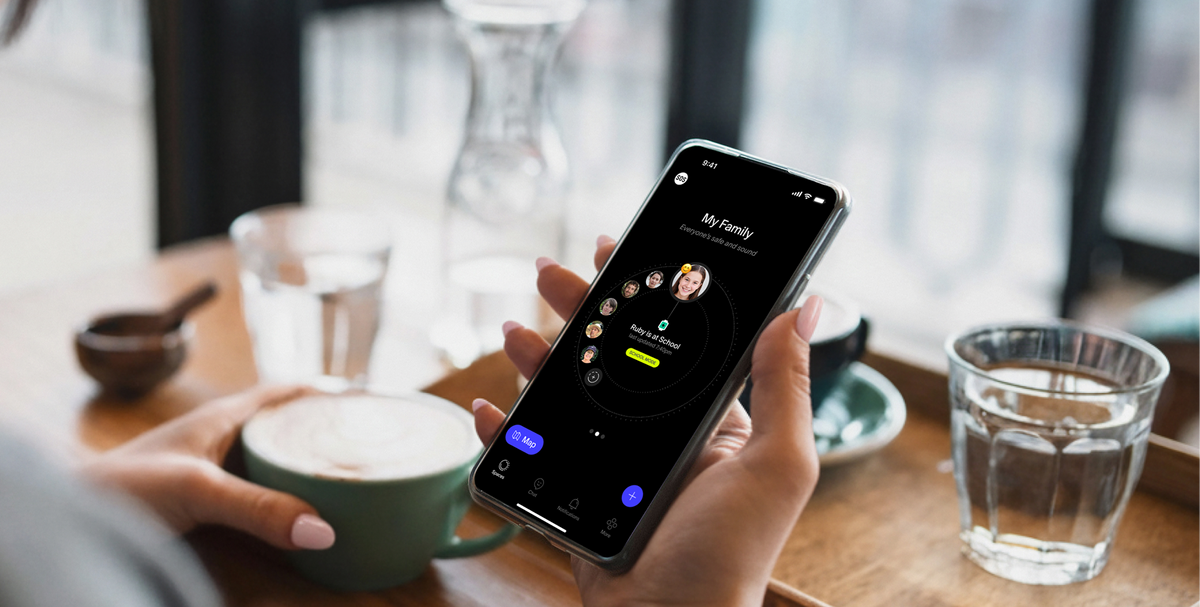
Yes, the Spacetalk App puts location awareness, chat, and emergency SOS in a single place, so you're not switching between a tracking app, a messaging app, and a separate emergency contact list just to stay across your kid's day. One login, one Space, one notification feed covers all three.
That sounds simple, but most families don't start there. They start with three or four apps stitched together, and it's only after the second time an alert doesn't come through that they go looking for something that actually works as one family safety app.
Before a family lands on Spacetalk, the typical setup looks like a standalone location-sharing app for "where's my kid right now," a group chat app for the actual talking, a separate emergency contacts list saved in someone's phone, and maybe a screen time app bolted on top because none of the others touch that. That patchwork causes a few predictable problems:

Add your kid's Spacetalk Watch to a Space, add the people who need visibility (you, your partner, a grandparent, a carer), and every feature below sits inside that same Space.
You get real-time location on your kid's watch, plus two features that do more than a basic pin on a map:

Inside the same app, your kid can message and video call, but only the Trusted Contacts you've approved. There's no public profile, no friend requests from strangers, and no open contact list to manage separately.
Voice calls and SMS run over the mobile network, while in-app Chat runs on WiFi or data, so there's a backup path even in patchy reception.
If your kid needs help, they hit the SOS button on the watch, and it sends their exact location straight to up to three emergency contacts you've set. Because SOS sits in the same app as location and chat, you're not hunting for a separate emergency number when it matters most.
This mode ties the three together during school hours. It silences the watch and switches off distracting functions like games and messaging, but keeps location awareness and SOS fully live in the background.
So the watch isn't buzzing in the middle of a lesson, and you'd still know immediately if your kid genuinely needed you.
A few other things in the same app include step counts and heart rate for kids, feelings check-ins, rewards, and a Find My Device option for when the watch itself goes missing under a couch. None of it requires a second sign-in or a second app icon.
Picture an ordinary school day. Your kid leaves home wearing their Spacetalk Watch, and you get a Places alert the moment they arrive at school, all inside the same feed you'll check again this afternoon.
School Mode is already running in the background, so the watch stays quiet through class while location awareness keeps ticking over.
At pickup time, if you're running five minutes late, your kid can send a quick chat message or a thumbs up straight to you, no separate messaging app required.
On the walk home, if they're taking the Route you've set up, you'll only hear from the app if they stray off it, which is rare but reassuring when it happens.

If your kid ever needed to hit SOS, the same app that's been quietly sending you Places alerts all day would immediately flag the emergency and share their exact location.
Families rarely set out to run four apps at once. It usually happens gradually, one download at a time, until nobody's quite sure which app will actually notify them if something goes wrong.
Bringing location, chat, and SOS together in a single family safety app removes that guesswork entirely.
Spacetalk is an Australian-owned platform with more than twenty years behind it, built to give kids freedom and give parents peace of mind without a stack of apps in between.
If you're ready to see how it works with your own family, the Spacetalk App page walks through setup from the very first Space.
Explore Spacetalk
App · Family
Spacetalk App
Location, Chat, SOS, School Mode and Trusted Contacts — one family safety app.
Learn moreSmartwatch · Kids
Spacetalk Adventurer 2
4G video calling, GPS, SOS and Chat — parent-managed through the app.
Shop nowPlans · Family
Spacetalk Mobile Plans
Same safety features when your teen moves onto a smartphone.
Shop nowYes. Location awareness, Chat, SOS, School Mode, and contact management all run through the same app and the same Space, so you're not switching between separate tools for each function.
Places and Routes for location awareness, in-app Chat and video calling with Trusted Contacts, an SOS button linked to emergency contacts, School Mode for class hours, plus step counts, heart rate, feelings check-ins, rewards, and Find My Device. All of it sits inside the one Spacetalk App.
For most families with a kid on a Spacetalk Watch, one app covers location, chat, and safety end to end. Once a teen moves onto a smartphone through the Spacetalk Mobile Plan, some parents pair it with the phone's built-in screen time tools, but the safety side (location, chat, SOS) stays inside the same family safety app throughout.
Love keeping up with Spacetalk?
Add us as your preferred source on Google and never miss a new post, product update or parenting tip.
Share:
Why the Spacetalk App Is Built as a Family Safety App from the Ground Up