

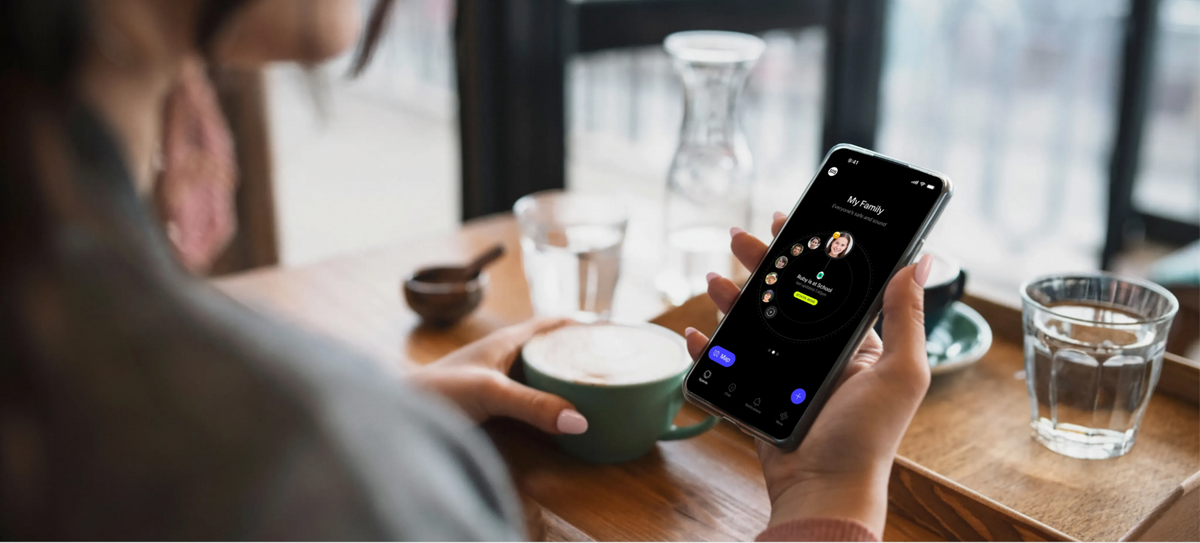
Parents choose the Spacetalk App because it gives you a closed, parent-managed contact list, real-time location awareness, an SOS button, and School Mode, all from one app.
If you've been searching for the best parental control app for iPhone, the answer usually comes down to one thing,
Does it give you visibility and control without turning your phone into a full-time surveillance job?
That's exactly the gap Spacetalk fills.
Most parents aren't looking to lock their kid's phone down completely. They want a middle ground between "no rules" and "no freedom." When you're comparing the best parental control app for iPhone, a few things tend to matter most:
Apple's Screen Time covers some of this, but it was built as a general-purpose tool for managing any Apple device, not specifically for the emotional reality of parenting a tween or teen who wants more freedom while you still want peace of mind.

The Spacetalk App is free to download on iOS and pairs with a Spacetalk Watch or a Spacetalk Mobile Plan. It gives you a family safety platform that sits comfortably next to whatever Apple tools you're already using.
It was built to give freedom to the kids on a Spacetalk Watch and peace of mind for you. Here's what that looks like in practice on an iPhone:
If your kid has moved on to their own iPhone rather than a Spacetalk Watch, the same Spacetalk App and Spacetalk Mobile Plan can carry across, so your family stays visible to each other through every life stage, from watch to phone, without starting from scratch.
For parents comparing options, this is what tends to tip the decision. A lot of iPhone-native tools focus on screen time limits and app blocking.
Spacetalk focuses on who can reach your kid, where they are, and what happens in an emergency, which is often the actual worry keeping parents up at night.

Apple's Screen Time and Family Sharing aren't going anywhere, and they don't need to. They're genuinely useful for setting daily app limits, restricting explicit content, and managing purchases.
The two systems solve different problems, and most families end up using both.
Screen Time is good for:
Spacetalk is built for the parts Screen Time doesn't touch, such as:
Because the Spacetalk App runs alongside your iPhone's existing settings rather than trying to override them, you're not choosing one over the other.
You're layering a family safety platform on top of the operating system controls Apple already gives you.
That combination, rather than any single app working in isolation, is usually what parents mean when they ask what the best parental control app for iPhone actually looks like in real life.
Setting up the Spacetalk App on your iPhone takes a few minutes. Download it for free from the App Store, create your account, and if you're pairing a Spacetalk Watch, follow the in-app steps to connect it.
From there, you can set up your first Space, add Places like home and school, choose your SOS contacts, and configure School Mode to suit your family's routine.
If your kid already has their own iPhone, the same app manages their Spacetalk Mobile Plan, keeping the family connected without adding another complicated tool to your day.
For a lot of parents, that simplicity, paired with genuine safety features rather than just screen time limits, is exactly why they land on Spacetalk when weighing up the best parental control app for iPhone. Head to the Spacetalk App page to see how it fits with the devices your family already uses.
Explore Spacetalk
App · Family
Spacetalk App
Trusted Contacts, Places, Routes, SOS and School Mode — free on the App Store.
Learn moreSmartwatch · Kids
Spacetalk Adventurer 2
4G video calling, GPS, SOS and Chat — parent-managed through the app.
Shop nowPlans · Family
Spacetalk Mobile Plans
Carry the same safety features onto your kid's first iPhone.
Shop nowBecause it covers the gap Apple's own tools leave open, particularly around who can contact your kid on their Spacetalk Watch, real-time location awareness, and a genuine emergency SOS feature, parents want a closed, safe communication setup, and Spacetalk delivers that without needing to replace anything already on the phone.
It works alongside it. Screen Time is great for app limits and content restrictions, while Spacetalk handles trusted contacts, location, Places, Routes, and School Mode. Most Australian families run both at the same time for full coverage.
Spaces, Places, Routes, SOS Contacts, School Mode, and Trusted Contact management are all included with the free Spacetalk App download, provided your kid is set up with a Spacetalk Watch Plan or Mobile Plan. There's no separate paid tier needed to access the core family safety features.
Love keeping up with Spacetalk?
Add us as your preferred source on Google and never miss a new post, product update or parenting tip.
Share:
Why More Parents Are Choosing a Kids Smart Watch
How a Spacetalk Watch Helps You Know Your Kid Is Safe