

Welcome to the Spacetalk Online Safety beta
Congratulations, you’ve been selected to beta test Spacetalk Online Safety, a new feature that lets you decide what your kid can and can’t access on their phone.
This page walks you through what it does, considerations when applying your settings, and what to do when you sit down to set it up.

Beta Starts: NOW
You’ll need to set up Online Safety on both your phone and your kid’s phone.
If you run into any issues getting set up, please reach out via WhatsApp before and we’ll get you sorted.
What is Spacetalk Online Safety?
Think of it as a safety layer that sits quietly in the background of your kid’s phone. It doesn’t lock everything down, you’re in control. You decide what to block, what to allow, and how tight or relaxed the settings are for your family. It works by filtering what your kid’s phone can connect to, so the rules apply regardless of which app or browser they’re using.
What you’ll be setting up
There are three layers to configure. You can go broad, go granular, or do both — it’s entirely up to you.

Block entire categories - Turn off entire content types at once, social media, gaming, gambling, dating apps, adult content. One toggle, done.

Block specific websites and apps - Go app by app - Roblox, TikTok, Snapchat, Minecraft, Instagram and more. Useful if categories feel too broad.

Safety filters - Turn on Safesearch, YouTube Restricted Mode, and Block Bypass to prevent your kid working around the rules.
Filter considerations
Before you commence the setup, it’s worth a few minutes of thought. There’s no wrong approach - this is about what feels right for your family.

Is your kid responsible online?
Or do you want to start with tighter controls and ease up over time.
Are there specific apps you’re most worried about?
Snapchat seems to be the one parents keep coming back to -it’s worth deciding where you land on that before you dive in.
Would you rather block entire content types and add back what you’re comfortable with?
Or start open and close things off one by one.
Do they spend a lot of time on websites with embedded videos?
If so, YouTube Restricted Mode applies across browsers, not just the YouTube app itself.
How the setup works
You’ll need both phones for this - yours and your kid’s. Set aside about 20 minutes, and plan for when you can physically access their device.
1. Download the app, create your account and set up your inner circle.


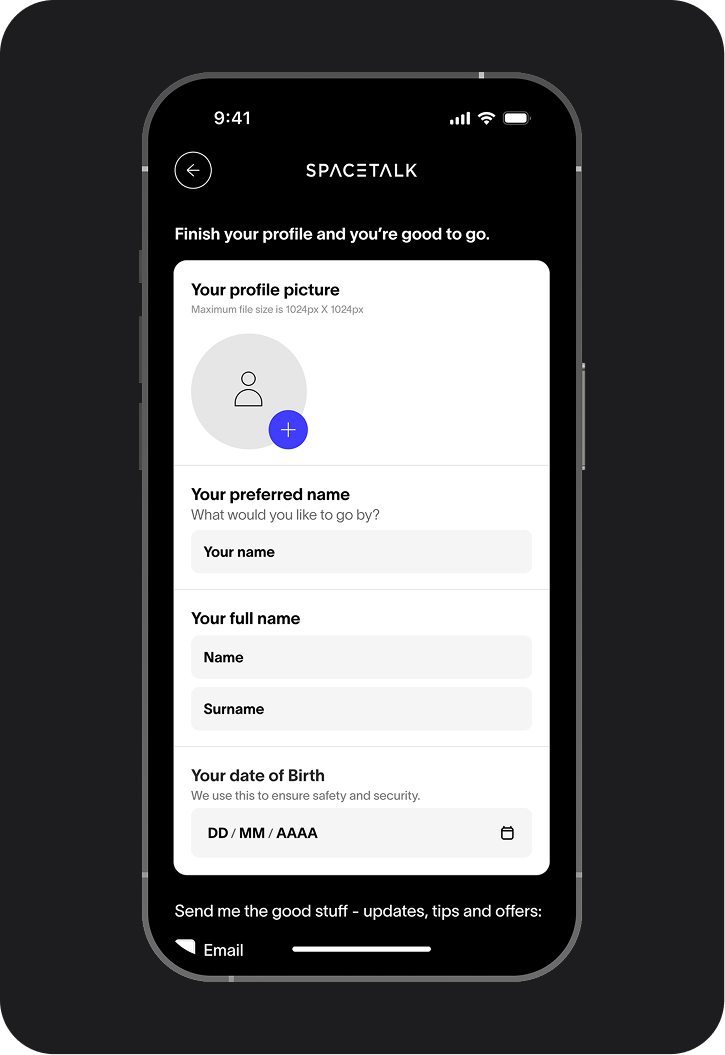
Download the Spacetalk App and create an account.
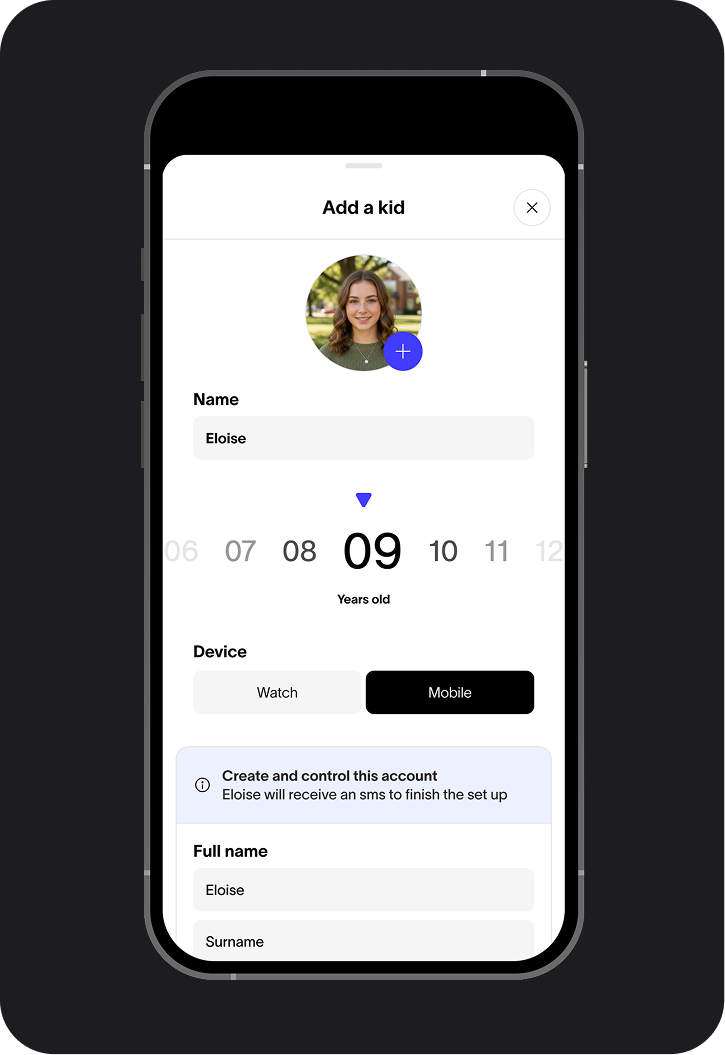
You’ll create your family Space and add your kid.
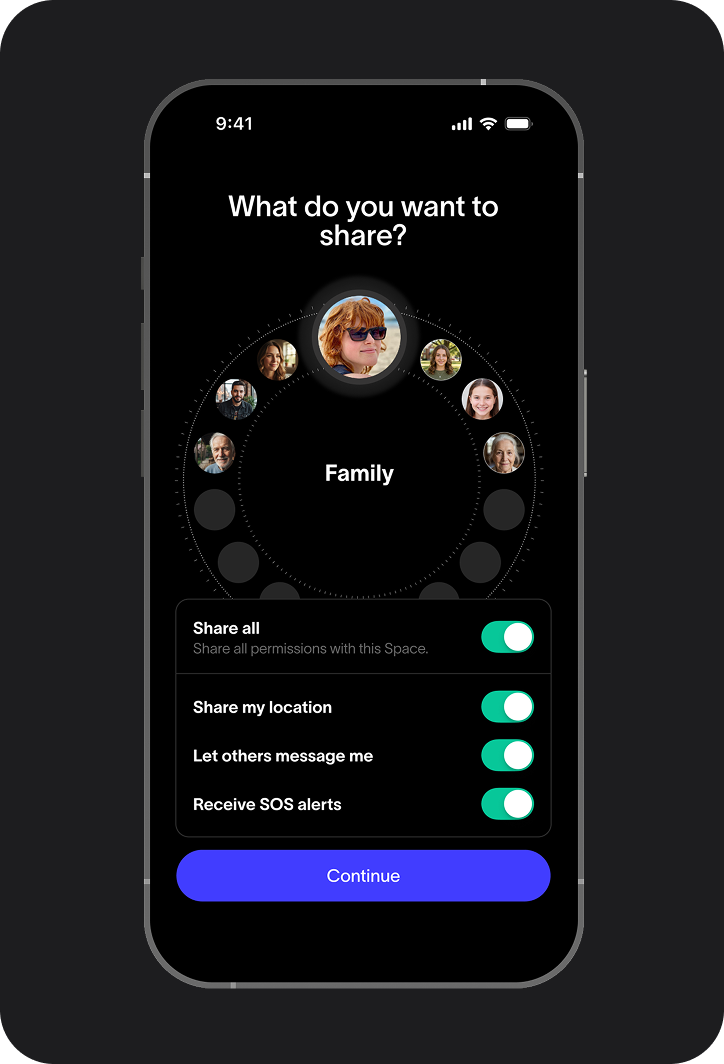
You’ll also choose what information they can share within your Space.
Once you've set up your account and added your child, there's one important step before you move on.
As this is an invite-only beta, your child's access needs to be manually activated by our team. Once you've added your child's account, please email kasey@spacetalk.co with:
- Your child's first name
- Their mobile number (please include your country code if you're outside Australia)
You'll receive a confirmation email once they've been added to the beta, then you're ready to move on to Step 2.
2. Configure Online Safety settings
You’ll move through a number of screens to set up your kid’s safety profile.
You will choose which content categories to block, or within categories, review app by app to fine-tune specific platforms.
You can also switch on your safety extras -Safesearch, YouTube Restricted Mode, and Block Bypass.

3. Time to wrangle their phone
Now for the fun part. Reward, negotiate, bribe, appeal to their better nature, whatever works in your household.
You need your kid’s phone in hand to complete the next steps, so plan for a moment when you can get hold of it without a diplomatic incident.
We recommend the setup on their device is completed by you, so once you have the phone, you’re in the driver’s seat.
4. Accept the invite and activate Online Safety

Your kid will have received an SMS invite. On their phone, open the link, accept the invite, and confirm their profile details.

Then follow the on-screen steps to activate Online Safety.

The app will walk you through the setup for their specific device, just follow each step as it appears.

Once activated, you'll see a confirmation in-app that Online Safety is running and you can adjust them any time.
From here, it's entirely yours to explore. Tighten the settings, loosen them, negotiate with your kid and reward the good behaviour you start to notice.
If something doesn’t work
This is a beta, there may be some friction, your experience of it is genuinely valuable feedback we want you to share - if you hit a wall:

Note down what happened
And where you got stuck, the more specific, the more useful it is for us.

Send us a message on WhatsApp right away
We’re monitoring it closely and will help you troubleshoot directly.
What we’re asking from you

Download and set up the app on your and your kid’s phone.
Complete a short weekly survey during the test - 2 to 3 minutes each week.
Join us for an in-person session at the end of the 4-week test to share your experience.
Use Online Safety features as you naturally would, your real experience is the whole point.
Questions before you get started?
Send us a message in the WhatsApp group and we’ll come back to you quickly.
By taking part, you're helping us build something that we genuinely hope will make a difference - giving parents the tools to guide their kid's online world in a way that feels manageable, meaningful, and right for their family. Every piece of feedback you share puts us closer to a product that keeps parents in the driver's seat.
Thank you for helping us get there.
*T&Cs apply. Sign up open until Sunday 21 June 2026 . Available to selected parents in AU with a kid aged 10–13 invited to participate in the Spacetalk Online Safety Beta Test. Selected participants will receive 12 months access to Spacetalk Online Safety. Complete all Required Steps within applicable timeframes to receive a $100 E-Gift Card. For full T&Cs visit https://shop.spacetalk.co/pages/promotions-terms-of-use.